


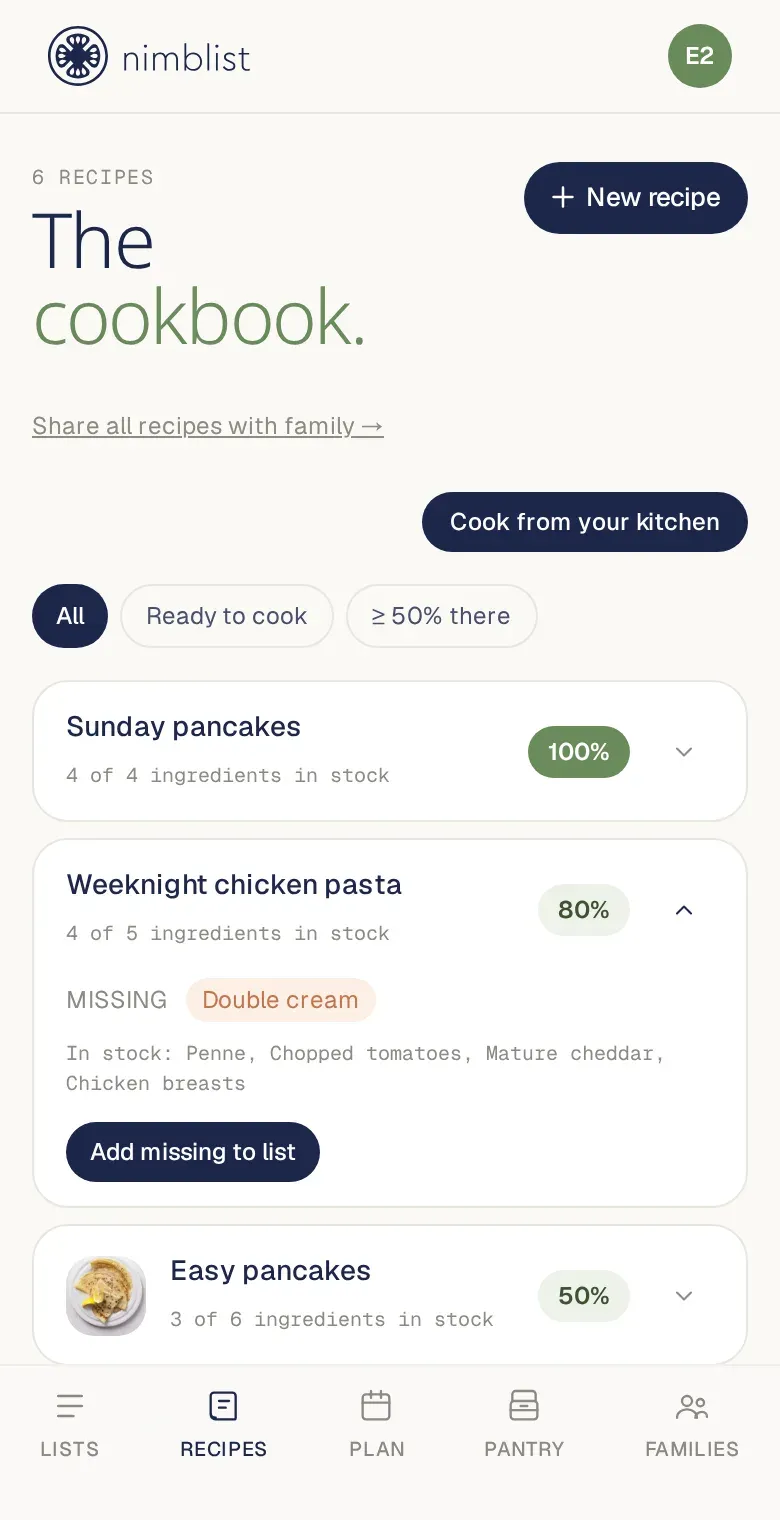
There’s a gap between “what shall we eat” and “what shall we buy” that most cooking apps ignore. They’ll happily suggest a recipe needing eleven ingredients, nine of which are already in your cupboard — and then hand you a shopping list with all eleven on it.
Nimblist’s pantry exists to close that gap. You tell it roughly what’s in the kitchen, and it can rank your saved recipes by how much of each one you already have.
Keeping a pantry that isn’t a chore
The obvious failure mode for any pantry feature is that maintaining it becomes a second job. Nobody is going to log every tin of tomatoes.
Two things keep it cheap:
Restock from a finished list. When you’ve done the shop, one action copies the checked items off that list straight into the pantry. The list is left alone. This is the main way a pantry stays current — you’re not doing data entry, you’re just finishing the shop you were already doing.
Quantities are free text. “Half a bag”, “2 tins”, “loads” are all fine. Nimblist never does arithmetic on them, so it never has to be right about them. It tracks whether you have something, and leaves how much to your judgement. Trying to be precise here would mean asking users to be precise, which is the chore we’re avoiding.
The pantry is shared across your household, the same way lists are — so it’s not one person’s private inventory that everyone else works around.
Matching that survives how people write
Matching a pantry against recipe ingredients sounds like string comparison and
absolutely is not. Your pantry says Eggs. The recipe says 2 large free-range eggs, beaten. Those are the same thing.
There are two tiers.
The exact tier normalises both sides to a comparable key, so “2 large free-range eggs” and “Eggs” land on the same one. That covers most of it.
The close tier handles the synonym problem. Your pantry says “spring onions”; the recipe calls for “scallions”. No amount of string normalisation bridges that, and a hand-written synonym list would need endless maintenance. Instead, both sides are already classified into categories and sub-categories — by the same classifier that sorts your shopping list by aisle — and a shared sub-category counts as a probable match. These are shown differently in the UI, because a close match is a suggestion rather than a fact.
That classification happens when items are written, not when you search. So matching is pure in-memory comparison with no machine learning anywhere near the request. It’s fast because the expensive part already happened.
The bit that actually saves money
Once matching works, it composes into something more useful than a list of recipes.
When you add a recipe to a shopping list, Nimblist checks the recipe against your pantry first and offers you a review: exact matches default to skipped, close matches default to included, and you confirm before anything is added. The result is a shopping list with only the things you actually need to buy.
That’s the whole point. Not “here are recipes you could make” — a shopping list that doesn’t contain the three jars of cumin you already own.
Use-by estimates, not food safety advice
Pantry items carry an estimated use-by badge. It’s derived from when the item was last restocked plus typical storage times from the USDA FoodKeeper dataset, which is public domain — about 600 entries seeded into the app.
It is deliberately framed as an estimate, everywhere, always. It is not food safety advice and it can’t be: it has no idea how warm your kitchen is, whether the packet has been opened, or what the actual date on the label says. What it’s good for is answering “how long has that been in there?” when you genuinely can’t remember. Use your eyes and nose for the rest.
Items that don’t match the dataset simply get no badge, rather than a guess.
What’s free and what isn’t
Keeping a pantry, restocking it from a finished list, and the use-by estimates are free. Ranking recipes against it — “cook from your kitchen” and the skip-what-you-have review — are Premium features.
If you already keep recipes in Nimblist, the pantry is worth ten minutes of setup after your next shop. If you don’t, the recipe guide covers getting them in there first — by URL, photo, or browser capture.
Or just start with a shopping list, which is free and unlimited, and add the rest when it’s useful.
Nimblist is free for unlimited shared lists. Shopping lists, recipes and meal planning, in sync across your household.
Get started free